

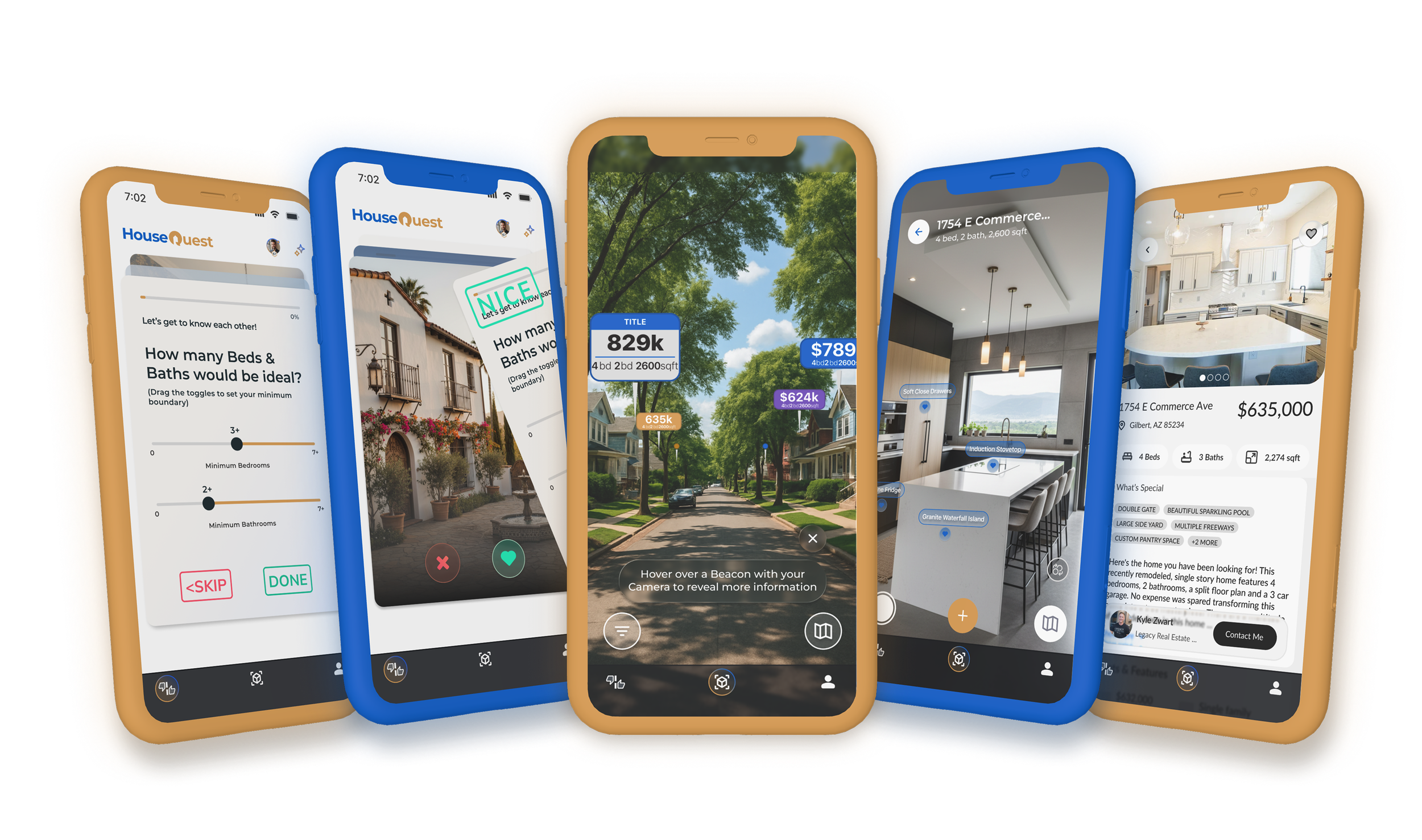
Your spatial lens for real estate
Explore in Augmented Reality, seeing price estimates of houses around you - as well as Indoor AR Tours of Active Listings.
Train your AI Agent to get to know your unique style and preferences = finding matches better than a bunch of checkboxes.
how we are spatial
outdoor
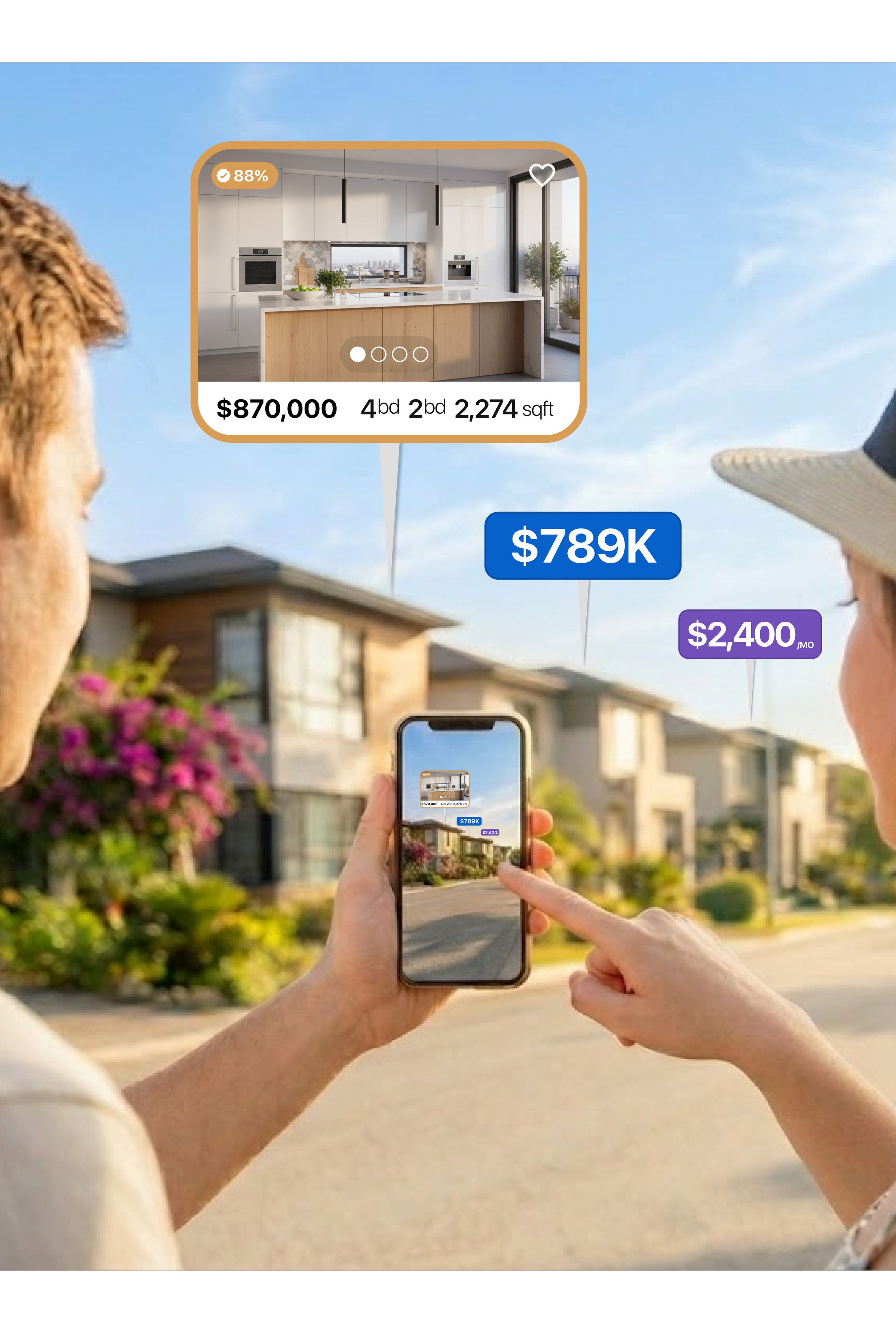
Ever see a gorgeous house and wonder what it would cost?
See price estimates over every house, and full listing details for houses currently for Sale or Rent.

indoor
Set your listing apart!
Showcase your listing’s hidden features and provide an immersive experience that home buyers can connect with.
ai
An Agent that gets you!
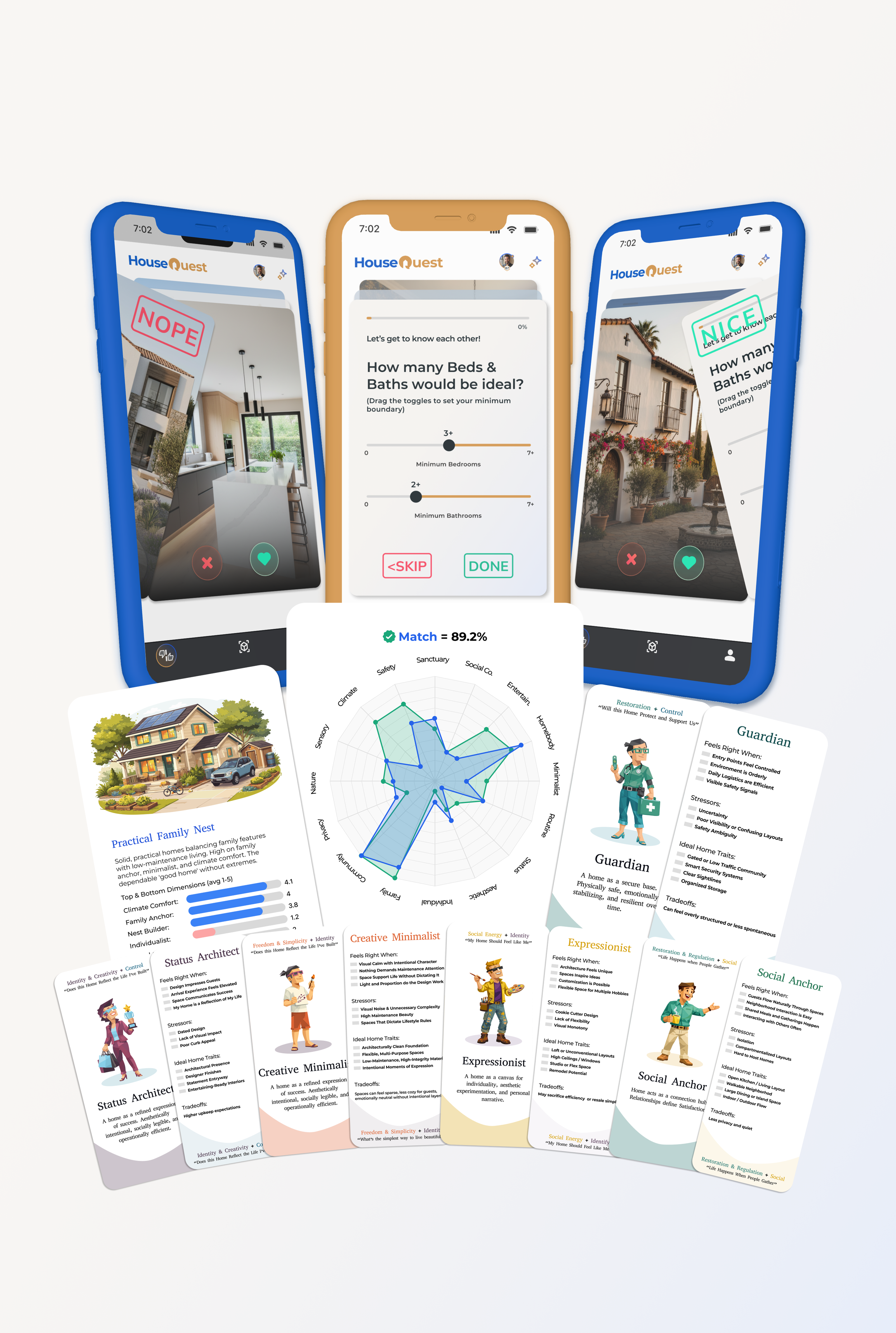
Swipe what you like on our ranking screen, learn your Housing Archetype and see exactly why a house has a high match score with you.

outdoor
Ever see a gorgeous house and wonder what it would cost?
See price estimates over every house, and full listing details for houses currently for Sale or Rent.

Enjoy the journey
It is fun to be a “Housing Tourist”. Whether scrolling through social feeds to inspire dream aesthetics, or walking through neighborhoods to see what you like in your local space.
HouseQuest’s Augmented Reality (AR) View is a layer of information, typically only found online, places over the real world - so you can be informed while being curious.
See pricing estimates, neighborhood information, bed & bath breakdowns, images and floorplans of houses right where you are - whether you are a serious buyer, or just because you’re curious.
Ways to use spatial outdoors
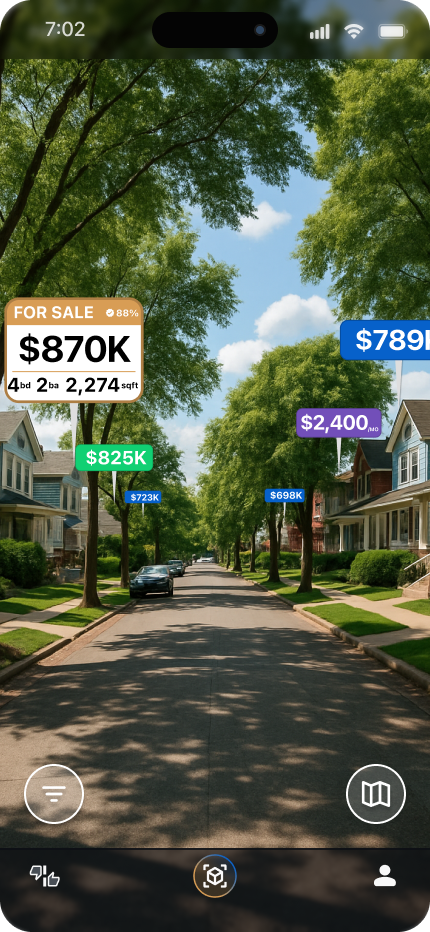
View “Beacons” over every house, Price Estimates, Active Listings, For Rent, and Recently Sold.
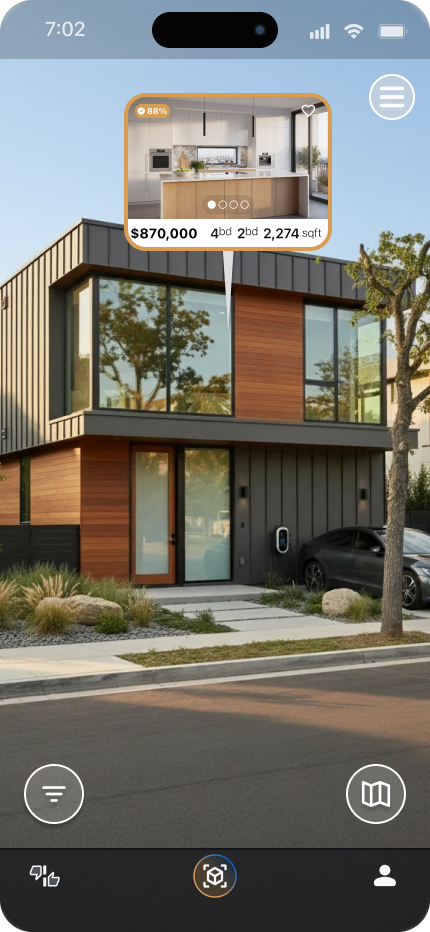
Hovering over “Beacons” flips them over for you to see more information at a glance.
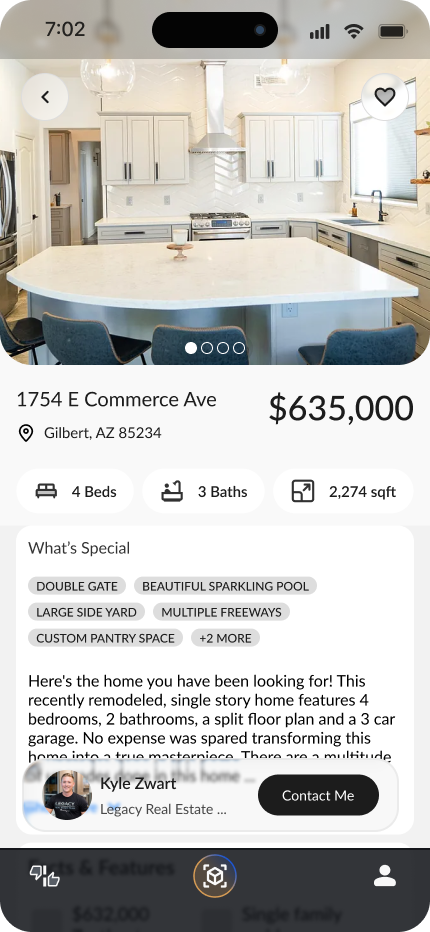
Tap on a “Beacon” to be see it’s Details Page with the MLS details, and a direct link to an Agent.
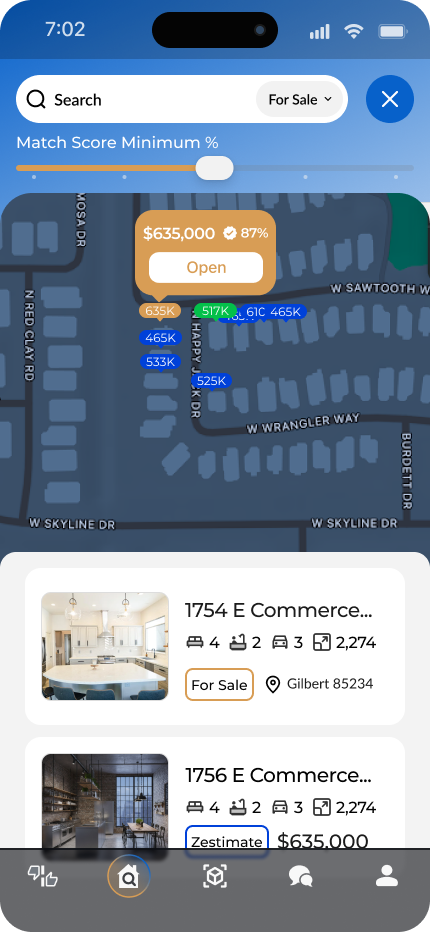
Find houses further from you by using our 2D Map layer.

indoor
Set your listing apart!
Showcase your listing’s hidden features and provide an immersive experience that home buyers can connect with.
immersive listings
It is fun to be a “Housing Tourist”. Whether scrolling through social feeds to inspire dream aesthetics, or walking through neighborhoods to see what you like in your local space.
HouseQuest’s Augmented Reality (AR) View is a layer of information, typically only found online, places over the real world - so you can be informed while being curious.
See pricing estimates, neighborhood information, bed & bath breakdowns, images and floorplans of houses right where you are - whether you are a serious buyer, or just because you’re curious.
placing feature tags
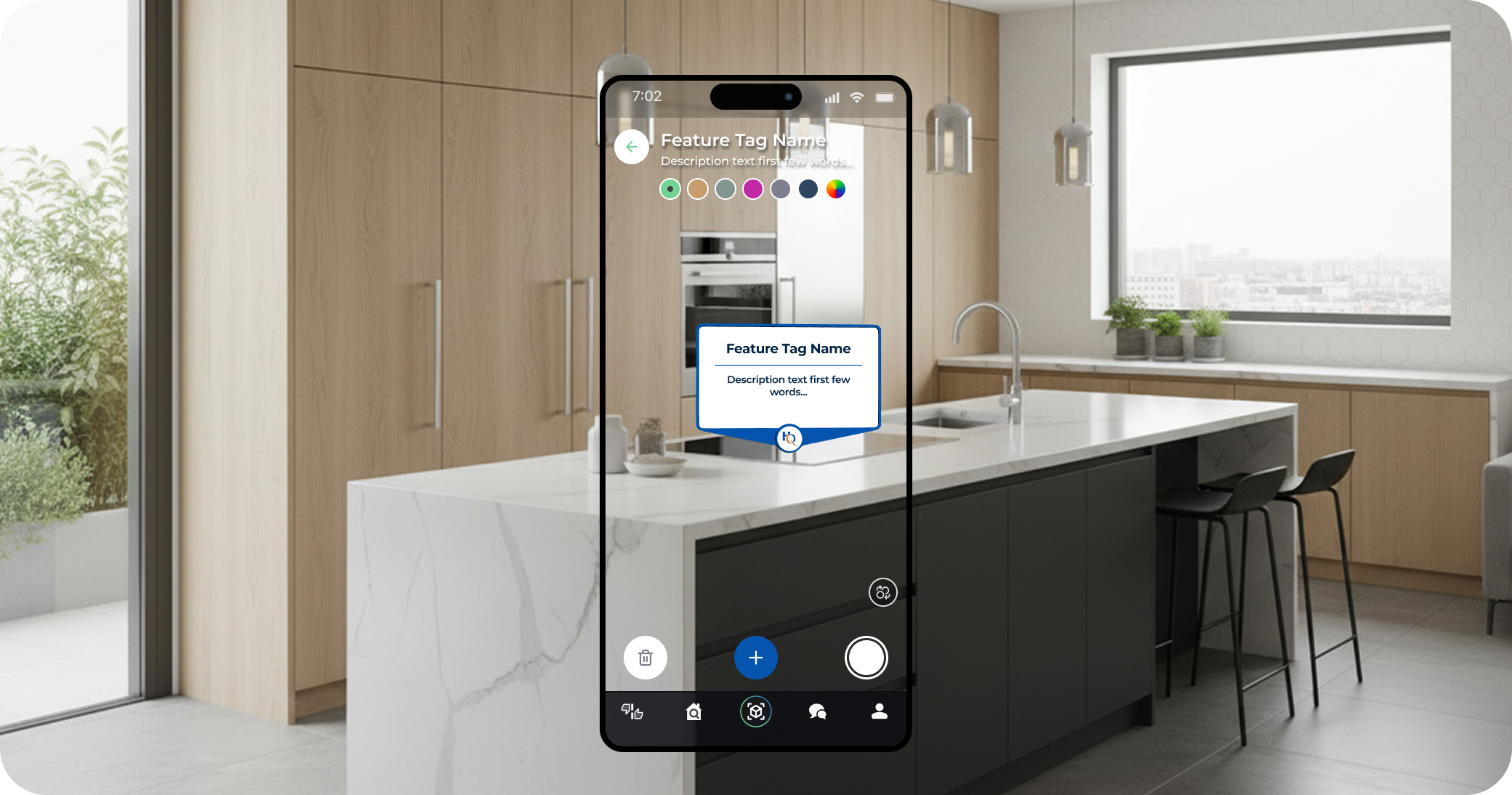
Using the app, a Listing Agent or service, walks around the home and taps anywhere they would like to place a Feature Tag. Give it a title, and brief description then onto the next one, a few seconds of effort to showcase a special or hidden feature of the house.
As you walk the house, keep the app open and pan your camera over walls, fixtures, and features. We map out the house as you move, so no need to pause for the perfect shot.
Every room that has a Feature Tag in it will be primed for a quick load by the user.
launch the ar tour
HouseQuest uses a “light version of an app” called an App Clip, that makes it so any iOS device that scans its QR Code will launch immediately into the associated AR Tour. No need for your buyer to go to the App Store and download it, and no extra bloat on the user’s device.
Order, or print for yourself, an App Clip sign to display in the house. You won’t need to have unique signs per property - because we know the location of your listing, HouseQuest instantly directs your buyers to the proper AR Tour.
AR Tours can also be shared, or sent as a link. So you can text/email your buyer the link without them needing to scan the code.
ai
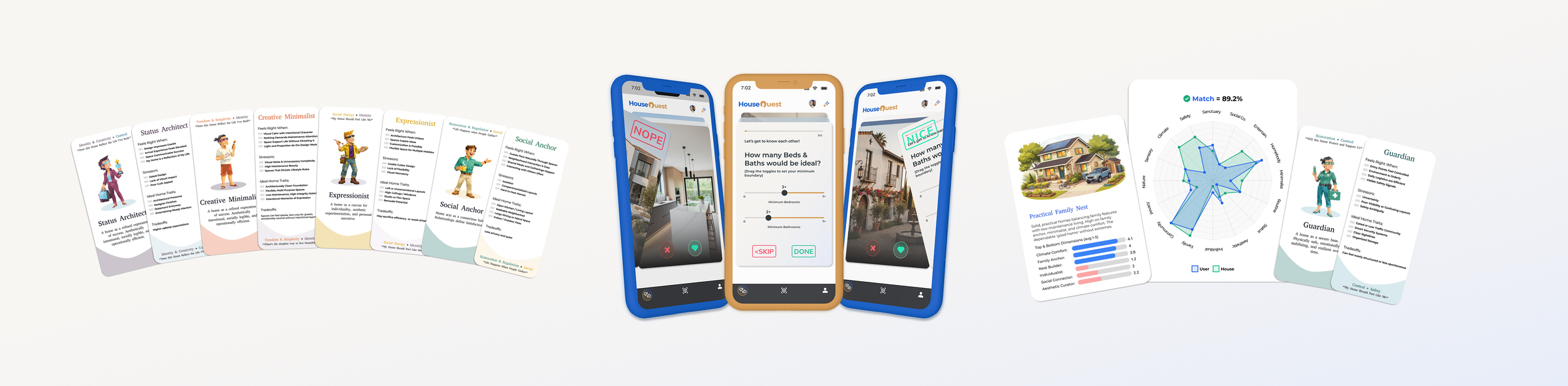
An Agent That Gets You
Swipe what you like on our ranking screen, learn your Housing Archetype and see exactly why a house
has a high match score with you.
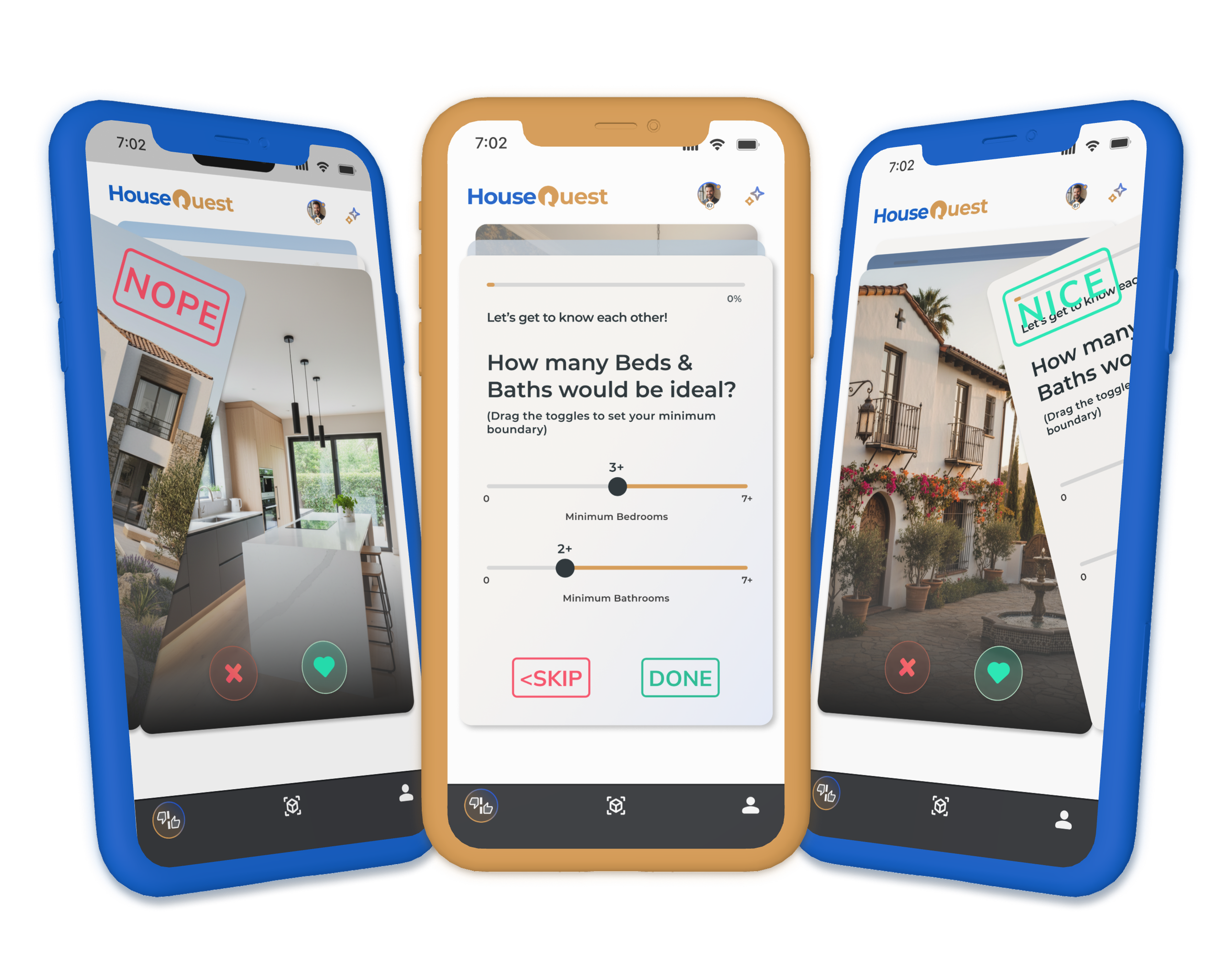
swipe what you like
Your tastes and needs are unique to you. Its hard to categorize all of your intricacies into housing jargon - so we build out your persona to match you with properties that speak to you more than “Mid Century Modern” ever could.
Specs and Feature checklists are a great way to segment listings in your area, but we think we can do better.
Our Ranking Screen is kind of like “Tinder for Houses” and is where your Agent gets to know you better - swipe on images, and answer some questions.
Then we put your lifestyle, emotions, aesthetics, needs, etc. into an objectively searchable method.
your housing archetype

Swiping on images, and answering questions is a fun way for your Agent to get to know you. Once it has a high enough confidence in what your preferences are, you uncover your specific “Housing Archetype”.
By learning how high you score on various traits, your unique score will match up with a sort of “personality type” for what you want the most in a house.
If you score highly on Sanctuary Seeker, Social Connection, Aesthetic Curator, and Nature, you might be a “Warm Host” Archetype. Combining Social Energy with Restoration & Regulation.
Or maybe you are a “Social Expressionist” who really enjoys making your house be your own space, and sharing that with your guest.
Want to know your Housing Archetype? Time to start swiping!
see why you match

Just because you have been assigned a “Housing Archetype” doesn’t mean that we don’t continue to learn based on your interactions. We keep track of how you score on all of the Traits.
The AI also goes through MLS listings and evaluates where they rank on all of the same traits that you are looking for. Each listing comes with a “Match Score” for how well that house would suit you.
But don’t just take our word for it, you can see where your needs overlap with the house’s traits and actually see why this house is a fit for you. Not just the right number of beds & baths - but also how it will accommodate your lifestyle.
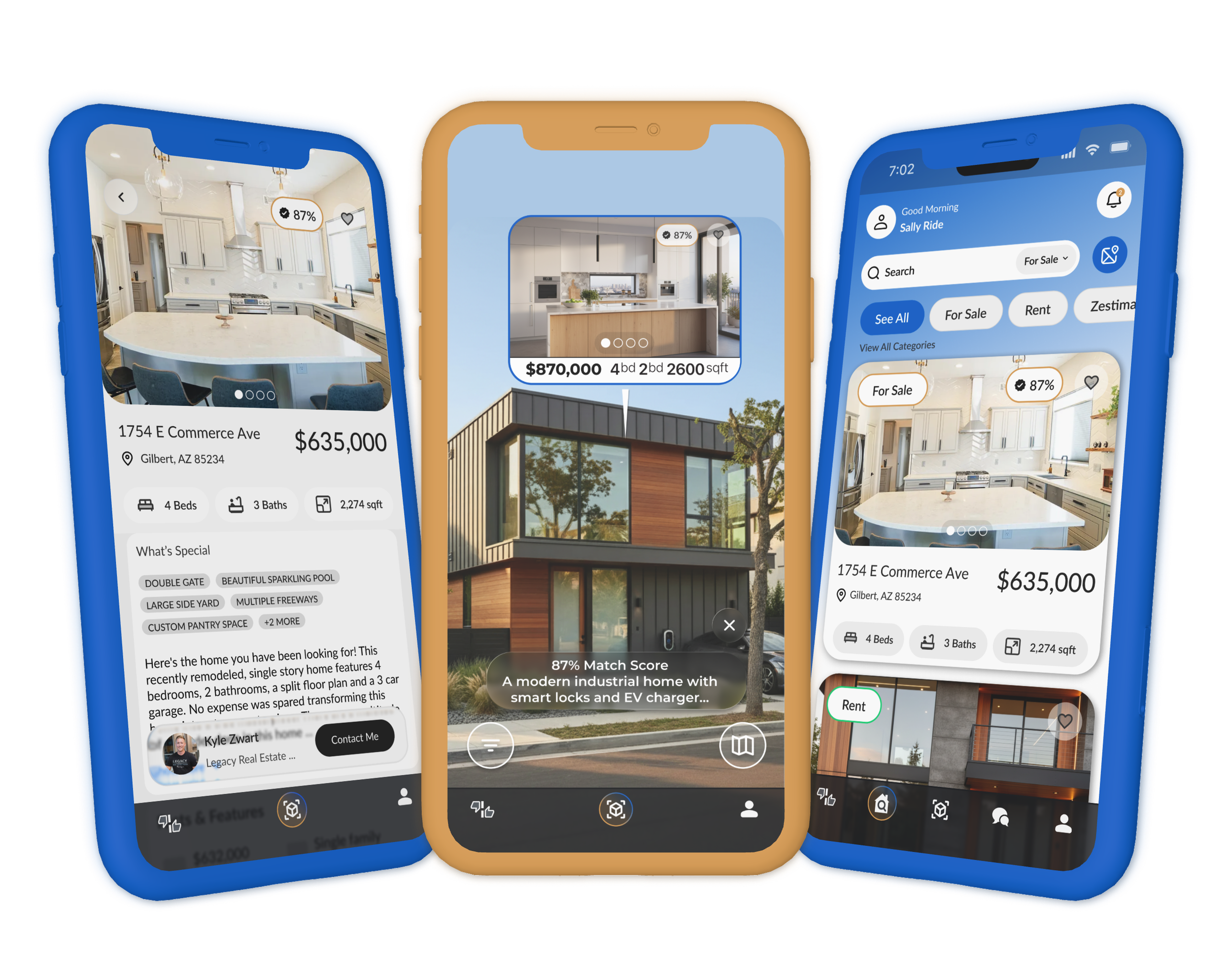
your perfect match
Your unique preferences and match scores move beyond the listing page - while you explore neighborhoods, taking in some open houses, or window shopping in some swanky places, Match Scores will appear on Beacons floating over properties letting you get a better idea of how that house might fit you.
Of course, you can still search and scroll through listings while sitting on the couch. In addition to filtering by beds, baths, and square footage, you can also tailor your feed to only show houses that meet a Match Score threshold that you can configure.
The world is full of listings, and it can be daunting to narrow down which house is right for you. HouseQuest is a new tool in your arsenal to make sure you find your perfect match.
SEEKING BETA TESTERS NOW
SEEKING BETA TESTERS NOW
Get in Touch
If you're interested in working with us, complete the form with a few details about you / your team.
We are currently offering an open beta for our HouseQuest Lite app. Applicants must be in the United States, and use an iPhone (sorry Android users, we’ll be building out Android next).
For Real Estate Teams looking to participate in a pilot program, we currently have MLS data for Arizona, and are looking for teams to pilot our Indoor AR House Tours with. Let us know if you are interested, and the best way to get in touch.